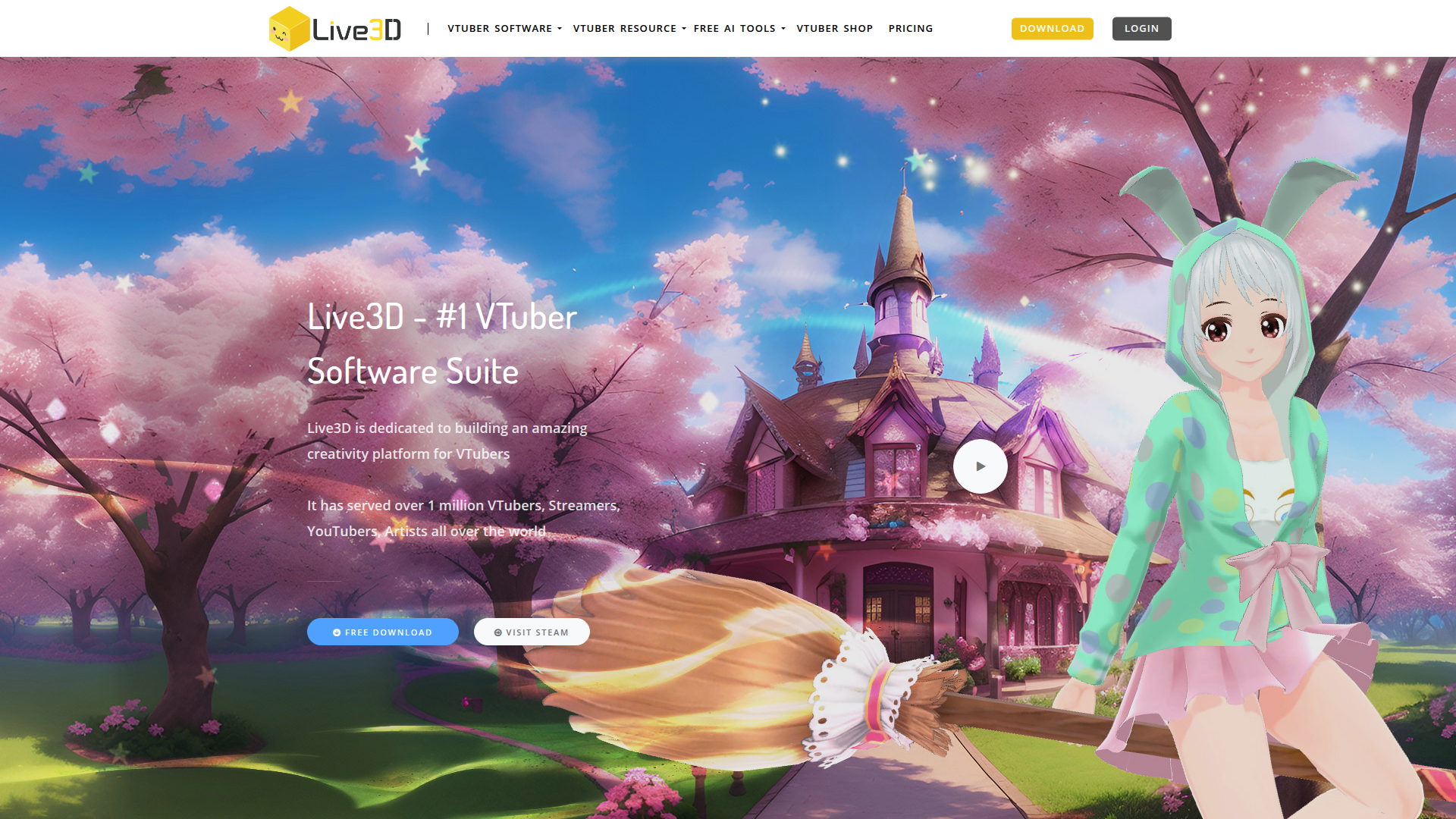
Live3D VTuber Software logo

Live3D VTuber Software

Transform your virtual presence with Live3D.

Listed:Dec 19, 2025
Platform:
Desktop
Share:
Live3D VTuber Software

Live3D VTuber Software Introduction

Live3D is a comprehensive VTuber software suite that enables creators to create and animate VTuber models for streaming and content creation. The platform provides a robust library of resources and intuitive tools designed to simplify avatar creation and on-screen performance.

Key benefits include:

  • 40+ VTuber models: Access a diverse library of avatars to start quickly.
  • 50+ VTuber animations: Rich animation sets to bring expressions and movements to life.
  • 100+ VTuber assets: A broad collection of assets to customize outfits, props, and scenes.
  • 40+ VTuber backgrounds: Varied environments to suit different streams and moments.
  • Regular updates and new features: Ongoing improvements and new content to keep performances fresh.

Perfect for content creators, streamers, and VTubers looking to captivate audiences with animated avatars.

Summary

Live3D is a comprehensive VTuber software suite that enables creators to build, customize, and animate avatars for streaming and content creation.

Key Features

  • 40+ VTuber models
  • 50+ VTuber animations
  • 100+ VTuber assets
  • 40+ VTuber backgrounds

Benefits

  • User-friendly editor makes customization quick and intuitive.
  • A vast library of models, animations, assets, and backgrounds.
  • Regular updates bring new content and features.
  • Designed for seamless streaming integration across platforms.
  • Freemium access lets you explore core features at no cost.
  • Ideal for beginners and experienced VTubers alike.

Use Cases

  • Live streaming with animated VTuber avatars on Twitch and YouTube
  • Creating VTuber-based educational content
  • Producing branded VTuber demos for marketing
  • Hosting virtual events and performances
  • Developing YouTube Shorts and social clips with avatars
  • Character auditions and design iterations
  • Interactive livestreams with audience participation
  • Collaborations and cross-promotions between creators
  • Product showcases using dynamic VTuber hosts
  • Tutorials and explainers with engaging visuals

How to Use Live3D VTuber Software

  1. Step 1: Sign up for an account.
  2. Step 2: Choose a VTuber model from the library.
  3. Step 3: Customize your model and import assets.
  4. Step 4: Set up your stream and integrate with your preferred platform.
  5. Step 5: Start streaming with your animated VTuber character.

Who Will Use Live3D VTuber Software

  • VTubers
  • Content creators
  • Live streamers
  • Video game reviewers
  • Influencers
  • Educators

Frequently Asked Questions

Alternative tools

HIX AI

Free AI chat, image, music & video tools in one freemium platform for creators.

Veo Camera

Record, Stream & Analyse

TubeBuddy

The Ultimate YouTube Growth Tool for SEO, thumbnails, and analytics

Toolsaday AI

Toolsaday AI: Automate tasks with AI to boost productivity and streamline your workflows.

StealthWriter

Transform AI content into human-like text and bypass AI detectors.

Free
PicWish

PicWish — Free online AI photo editor for quick, polished edits.

PhotoGrid

PhotoGrid — Create stunning collages and edit photos with AI power.

NexLev Niche Finder

AI-powered YouTube niche discovery to fuel fast, data-driven content ideas.

neural.love

Online AI tools for content creation—enhance videos, upscale images, and convert Live Photos to high-quality media.

LOVO AI Voice Generator

Turn text into natural-sounding speech with 500+ voices, live cloning, and video-ready outputs.