DeepAI Suite logo

DeepAI Suite

Your all-in-one AI toolkit for image, video, and music generation.

Listed:Dec 19, 2025
Platform:
Web
iOS
Android
Share:
DeepAI Suite

DeepAI Suite Introduction

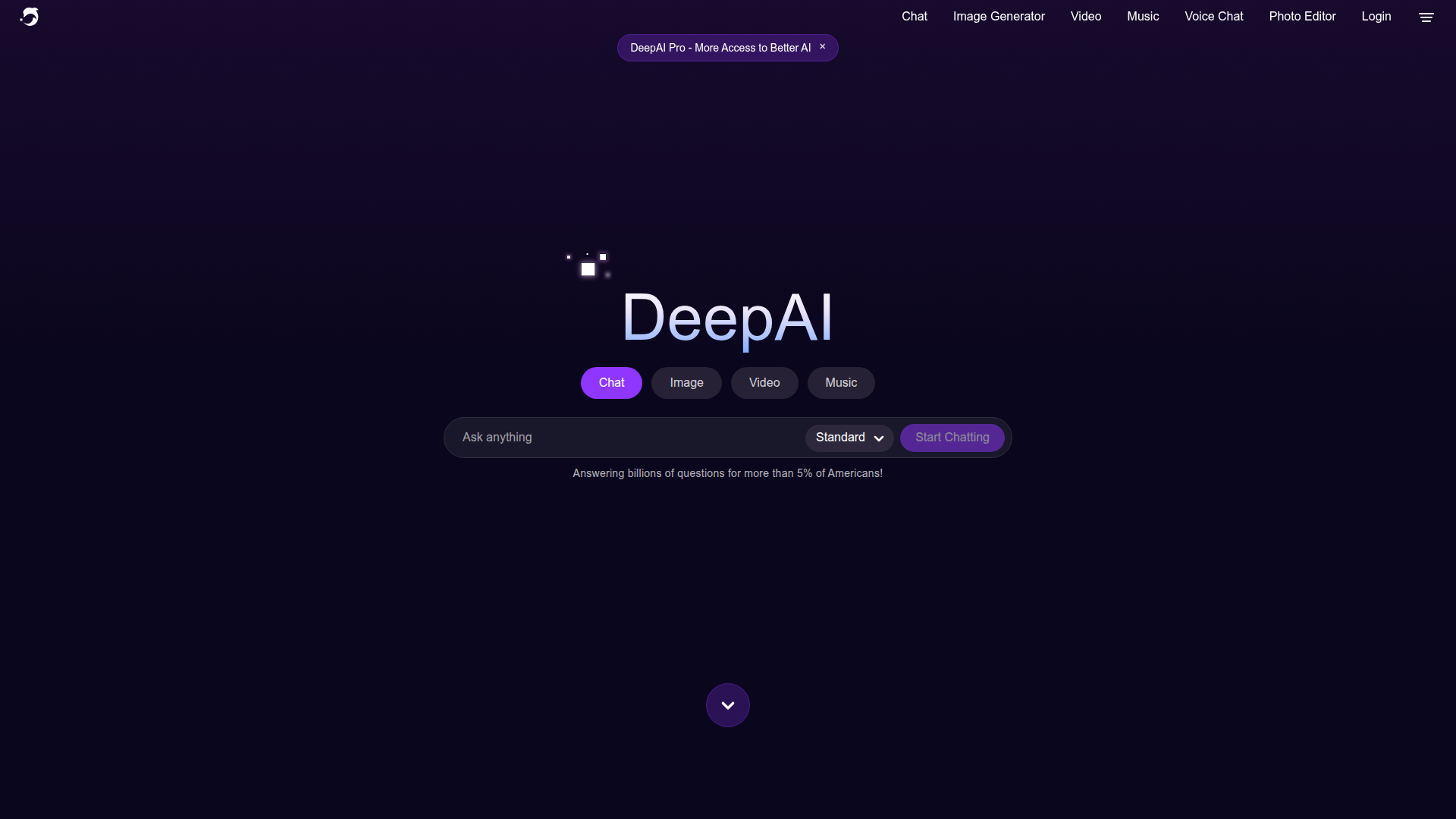
DeepAI Suite bundles AI-powered tools for image, video, and music generation and editing into one platform. It enables creative professionals and developers to produce high-quality content quickly without juggling multiple apps.

Key benefits include:

  • Comprehensive toolset: Access AI image, video, music generation, editing, background removal, colorization, and upscaling capabilities in one place.
  • Cross-platform access: Use on Web, iOS, and Android devices for on-the-go creativity.
  • Freemium model: Start with a free tier and scale up with premium options as needs grow.
  • Regular updates: Ongoing feature additions and improvements to keep tools current.
  • Flexible outputs: Supports a variety of formats and export options for different workflows.

Perfect for individuals and teams in marketing, content creation, design, and development who want to accelerate production with AI.


Summary

DeepAI Suite provides AI-powered image, video, and music generation and editing tools across web and mobile.

Key Features

  • AI Image Generator
  • AI Video Generator
  • AI Music Generator
  • AI Photo Editor
  • Background Remover
  • Colorizer
  • Super Resolution
  • Expand Image
  • Image Replace
  • Voice Chat
  • AI Chat
  • Math AI

Benefits

  • Wide range of AI tools available across image, video, and audio
  • User-friendly interface across web and mobile
  • Freemium model allows entry with premium options for growth
  • Regular updates with new features and tools
  • Flexible outputs and export options for different workflows
  • Efficient content creation reduces production time

Use Cases

  • Creating unique social media images
  • Producing background music for videos
  • Editing photos with AI-powered tools
  • Enhancing image quality with Super Resolution
  • Expanding image boundaries with Expand Image
  • Colorizing black-and-white photos
  • Replacing image elements with AI
  • Generating short AI-driven video clips
  • Integrating AI-generated assets into apps
  • Automating content creation workflows
  • Prototyping visuals for campaigns
  • AI-assisted data visualization and diagrams

How to Use DeepAI Suite

  1. Visit the DeepAI website and sign in or sign up for the DeepAI Suite.
  2. Choose the AI tool you want to use (image, video, music, etc.).
  3. Upload your file or enter your prompt to generate content.
  4. Fine-tune settings if needed and run the tool to generate outputs.
  5. Download and integrate the results into your project.

Who Will Use DeepAI Suite

  • Content creators
  • Marketers
  • Social media managers
  • Developers
  • Designers
  • Product managers
  • Educators
  • Entrepreneurs

Frequently Asked Questions

Alternative tools

HIX AI

Free AI chat, image, music & video tools in one freemium platform for creators.

GirlfriendGPT

Create your AI dream girl - design the perfect AI girlfriend for you

NanoBanana AI

Create stunning images with Google's AI model — fast, flexible, and easy.

Veo Camera

Record, Stream & Analyse

Motion

The AI-powered SuperApp for Work – AI-driven project, task, calendar, and meeting management in one.

Toolsaday AI

Toolsaday AI: Automate tasks with AI to boost productivity and streamline your workflows.

Roboflow

Computer vision tools for developers and enterprises

QuillBot

AI-powered writing assistant for paraphrasing, grammar, and summarization—across web and browser extensions.

Phrasly

Write naturally, without fear of detection.

Free
OpenRouter

Harness the power of multiple AI models in one place.