Lexica Art Generator logo

Lexica Art Generator

Create and explore AI-generated art with Lexica’s versatile, style-rich generator.

Listed:Dec 19, 2025
Platform:
Web
Share:
Lexica Art Generator

Lexica Art Generator Introduction

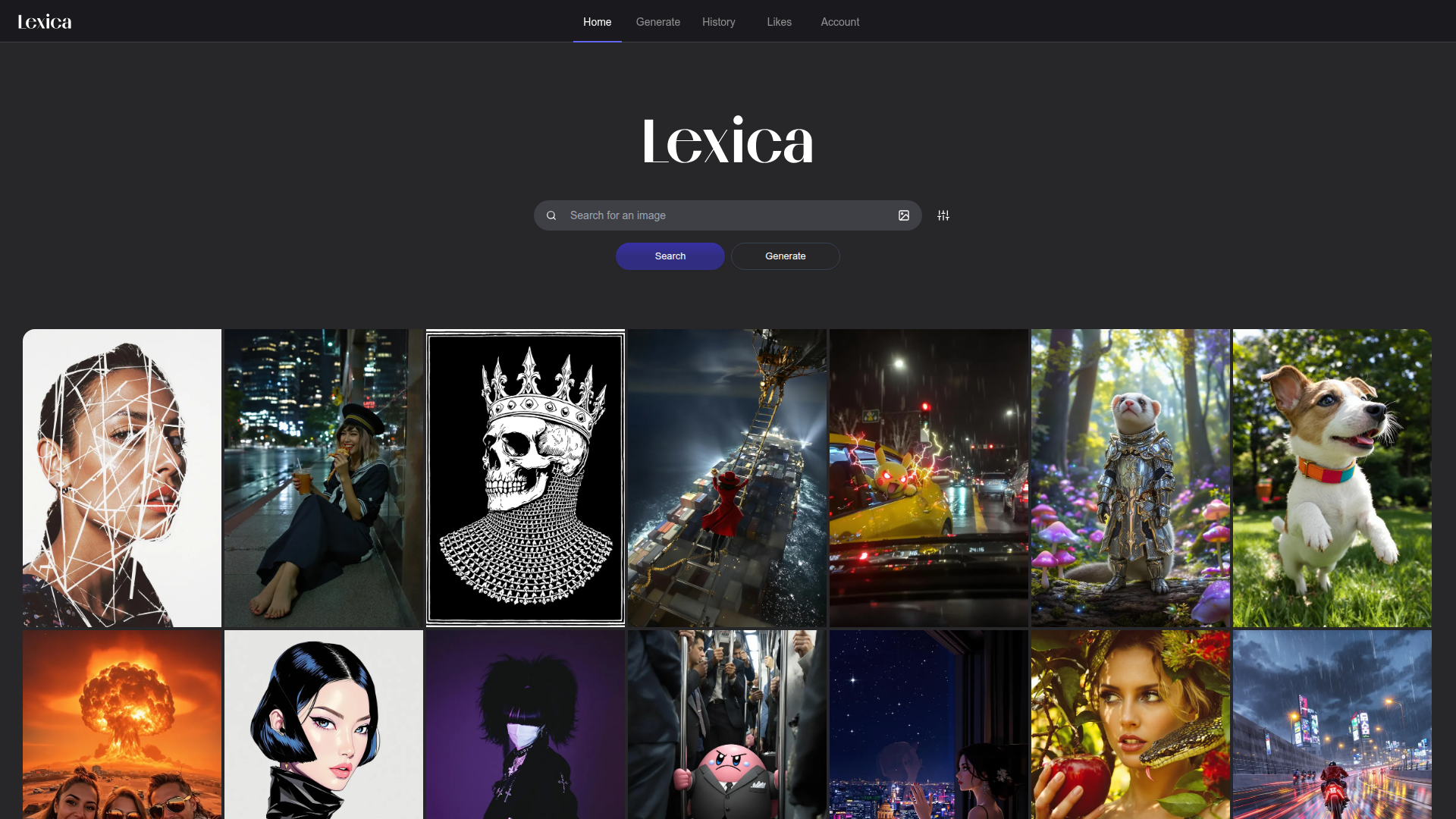
Lexica is an AI-powered platform for generating and exploring AI art. It enables you to create unique artworks using advanced AI and discover works from a vibrant community.

Key benefits include:

  • AI Art Generation: Generate artworks using advanced AI models that interpret prompts into distinctive visuals.
  • Customizable Styles: Select from a wide range of art styles to tailor outputs to your vision.
  • Image Search Functionality: Seamlessly search the gallery by keywords to find inspiring images.
  • Community Gallery: Explore a growing collection of artworks from artists around the world.
  • User Accounts & Saving Artworks: Create an account, save favorites, and organize your generated pieces for easy access.

Perfect for artists, designers, and art enthusiasts who want to create and explore AI-generated art.


Summary

Lexica lets you generate and explore AI-generated art with a variety of styles and a community gallery.

Key Features

  • AI Art Generation
  • Customizable Styles
  • In-app Image Search
  • Community Gallery & Discovery
  • User Accounts & Saving Artworks
  • Seamless Web Experience

Benefits

  • Easy to use for both beginners and professionals
  • Wide variety of art styles to choose from
  • Access to a large community of artists and creators
  • Fast generation of high-quality artworks
  • Ability to customize and refine generated images
  • Perfect for personal and commercial use

Use Cases

  • Creating unique artworks for personal use
  • Generating art for commercial projects
  • Inspiration for digital design
  • Educational purposes in art classes
  • Prototyping concept visuals
  • Mood boards for creative briefs
  • Generating prompts for other AI tools
  • Social media visuals and campaigns
  • Album art or book cover inspiration
  • Portfolio pieces and showreels

How to Use Lexica Art Generator

  1. Step 1: Visit the Lexica homepage
  2. Step 2: Choose the art style you want to generate
  3. Step 3: Enter your keywords or prompts
  4. Step 4: Hit Generate to create your artwork
  5. Step 5: Explore, save, and share your creations

Who Will Use Lexica Art Generator

  • Artists
  • Designers
  • Graphic Designers
  • Creative Agencies
  • Art Enthusiasts
  • Students
  • Content Creators

Alternative tools

HIX AI

Free AI chat, image, music & video tools in one freemium platform for creators.

GirlfriendGPT

Create your AI dream girl - design the perfect AI girlfriend for you

NanoBanana AI

Create stunning images with Google's AI model — fast, flexible, and easy.

Motion

The AI-powered SuperApp for Work – AI-driven project, task, calendar, and meeting management in one.

Toolsaday AI

Toolsaday AI: Automate tasks with AI to boost productivity and streamline your workflows.

Roboflow

Computer vision tools for developers and enterprises

Revisely

AI-powered feedback and collaborative learning resources for educators and students.

QuillBot

AI-powered writing assistant for paraphrasing, grammar, and summarization—across web and browser extensions.

Phrasly

Write naturally, without fear of detection.

Free
OpenRouter

Harness the power of multiple AI models in one place.